



How to Top Up Hamster Using Your UID in 2026
To complete your Hamster top up, you only need your unique Player User ID (UID). VGTopup processes your order directly to your game profile without requesting account credentials, login tokens, or sensitive passwords. Follow these direct steps to top up your account:
- Enter Your Hamster UID: Locate the User ID string in your profile menu and enter it into the required field on this page.
- Select Your Item Package: Choose the balance quantity, pack, or digital asset bundle you want added to your game profile.
- Review the Order Summary: Confirm that your UID numbers match your profile exactly. The checkout shows the real-time cost based on current rates.
- Complete Checkout: Select your preferred payment method on the secure checkout screen and finalize the transaction.
- Check In-Game Balance: Open Hamster on your device, refresh your account profile, and verify that the balance has updated.
Top-Up Overview & Order Data
| Order Step | Required Input | Purpose | Safety Check |
|---|---|---|---|
| 1. Account Routing | Player UID | Identifies your specific account | Never requires password |
| 2. Package Selection | Desired Balance Item | Defines the exact order credits | Real-time pricing on checkout |
| 3. Payment Processing | Direct Checkout Gateway | Completes the purchase securely | Encrypted payment handling |
| 4. Delivery Check | In-Game Profile Refresh | Confirms balance arrival | Check transaction history |
How to Find Your Hamster Player UID
Accurate delivery depends entirely on submitting the correct Player UID. Because recharges are routed programmatically to the ID provided at checkout, taking a moment to copy your UID directly from the game client ensures your order arrives without delay.
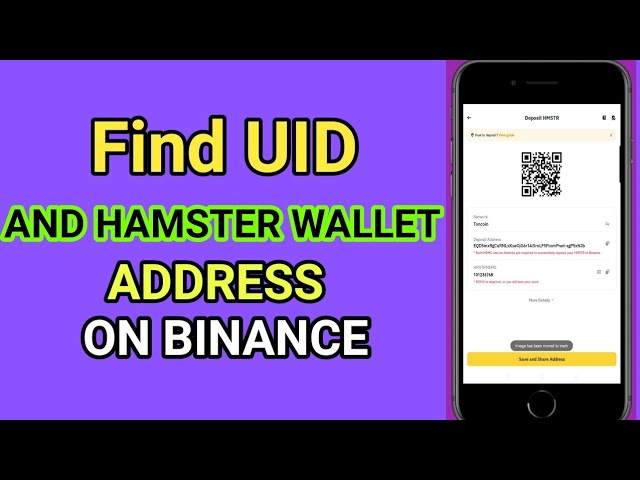
To find your UID inside the Hamster game interface:
- Launch the Hamster application on your phone or browser.
- Tap your profile icon or open the Settings / Account menu located in the top corner of the main dashboard.
- Locate the field labeled UID, Account ID, or Player ID. It appears as a numeric or alphanumeric sequence.
- Tap the Copy icon next to the number, or write down the exact sequence carefully.
- Paste the ID directly into the UID field on VGTopup before confirming your order.
Safe Top-Up Practices: Zero Password Requirement
Account safety is essential when purchasing digital gaming goods online. VGTopup operates on a direct UID-only delivery model. You never need to supply your login email, phone number, social login credentials, or private cryptographic keys.
- No Password Sharing: Legitimate UID top-ups never ask for your account password or one-time verification codes (OTPs). If any service requests login access to top up Hamster, do not share your credentials.
- No Account Handover: Your profile stays logged in on your own device. The delivery takes place on the server side using the public ID.
- Zero Risk of Compromise: Because no access credentials leave your possession, your personal data and gaming progress remain completely secure.
Hamster In-Game Balances and Ecosystem Utilities
In the Hamster gaming ecosystem, top-ups provide the resources you need to maintain momentum, unlock upgrades, and access premium event rewards. Unlike general digital gift cards or physical pet products that often confuse search results, Hamster game recharges credit your player account directly.
Recharging your Hamster balance allows you to:
- Upgrade In-Game Assets: Acquire upgrades and boost cards that increase your passive generation rates.
- Unlock Seasonal Features: Gain access to limited-time event passes, exclusive cosmetics, and specialized progression tracks.
- Optimize Progression Speed: Skip time gates and accelerate level progression across your virtual setup.
- Support Ecosystem Activities: Participate in special competitions and in-game challenges that require entry tokens or balance reserves.
All balance items purchased on VGTopup are tied directly to your unique game ID so you can put your resources to work right away.
VGTopup Secure Payment and Live Checkout Flow
VGTopup provides an efficient, transparent purchasing experience designed for international players in 2026. Pricing is displayed dynamically on the live checkout interface, reflecting current market values without hidden processing charges or post-checkout surprises.
- Transparent Live Pricing: The price displayed at the moment of checkout is the final amount you pay. Currency conversions and real-time fees are updated live.
- Encrypted Transactions: Every transaction is protected with industry-standard SSL encryption to secure your payment details.
- Instant Processing Engine: Once your payment is confirmed by your provider, the delivery engine automatically dispatches the balance directly to the specified UID.
- Multi-Regional Support: VGTopup supports players across multiple regions with payment channels tailored for convenience and quick confirmation.
Troubleshooting Hamster Recharge Delays and Wrong UID Entries
Most Hamster recharges process promptly. If you encounter any unexpected wait times or realize you made an entry error, use the troubleshooting steps below to resolve the issue quickly:
- Server Refresh Lag: If your balance does not appear immediately after completing payment, close the Hamster application completely and reopen it. This forces the client to sync with the central server and display your new total.
- Pending Payment Clearances: Some local payment providers take a few minutes to issue a success confirmation. Check your email for the VGTopup transaction receipt to ensure payment has cleared.
- Entered the Wrong UID: If you provided an incorrect UID that belongs to an active account, the balance may deliver to that account. If the UID does not exist on the server, the order will flag as pending or failed. Contact VGTopup Customer Support immediately with your Order ID and the correct UID to request manual correction before delivery completes.
- Contacting Support: Have your Order Number, payment receipt, and correct Hamster UID ready when opening a support ticket. The support team can trace order statuses on the delivery ledger.
Frequently Asked Questions About Hamster Top Up
How do I find my Hamster UID for a top up?
Open the Hamster game interface on your device, tap your profile avatar or the settings menu in the corner of the screen, and locate the alphanumeric sequence marked UID or Player ID. Tap the copy button to capture the exact string.
Do I need to share my account password to top up Hamster on VGTopup?
No. You never need to share your account password, email login, or private keys. VGTopup only requires your public Player UID to route the balance directly to your account.
How fast will my Hamster balance be delivered after payment?
Delivery begins as soon as your payment is verified. In most cases, the balance updates in your game profile shortly after checkout. If high server traffic causes a slight delay, restart the game to refresh your balance.
Can I top up Hamster for a friend using their UID?
Yes. You can recharge an account for a friend or family member simply by entering their Player UID in the required field at checkout. Ensure they provide you with their exact ID string before submitting payment.
What should I do if I entered the wrong Hamster UID during checkout?
Check your order status immediately. If the order is still pending, reach out to VGTopup Customer Support with your Order ID and correct UID right away so the support team can adjust the destination before processing.
What payment options are available for Hamster recharge on VGTopup in 2026?
VGTopup offers a variety of regional and global payment options. Available payment methods, real-time rates, and processing channels are listed directly on the live checkout page when you place your order.
Select Denomination
Tax, payment fees and eligible coupons are calculated at checkout.
| Package | Price |
|---|---|
| Hamster - Hamster*2000 | USD 1.89 |
| Hamster - Hamster*5000 | USD 4.73 |
| Hamster - Hamster*10000 | USD 9.46 |
| Hamster - Hamster*15000 | USD 14.18 |
| Hamster - Hamster*20000 | USD 18.91 |
| Hamster - Hamster*25000 | USD 23.64 |
| Hamster - Hamster*50000 | USD 47.28 |
| Hamster - Hamster*100000 | USD 94.56 |
| Hamster - Hamster*1000 | USD 0.95 |

































































