الخطر ليس من المحتالين — بل من كتابتك أنت
معظم خسائر الإهداء في 4Fun ليست بسبب الاحتيال. بل هي نتيجة لتبديل رقم لم يكلف أحد نفسه عناء إعادة قراءته. سأعطي المشككين في الاحتيال حقهم: أساليب الهندسة الاجتماعية ("أرسل لي ماسات وسأرسل لك الضعف") تنتشر في كل تطبيق للمحادثات الصوتية، وتعتبر غرف الدردشة في 4Fun أرضًا خصبة لذلك. لكن آلية الإهداء نفسها لا تسمح لشخص غريب بالوصول إلى محفظتك. أنت من يرسل العملة إلى معرف قمت بكتابته بنفسك. هذا كل ما في الأمر.
لذا فإن التهديد الحقيقي هو خطأ الإدخال. للإهداء، تفتح موقع الشحن، وتضع المعرف الرقمي لصديقك، وتختار الباقة، ثم تدفع. تصل الماسات إلى أي حساب يشير إليه هذا المعرف، وفقًا لموقع z2u.com (2026). يقوم النظام بما تطلبه منه تمامًا. لا يمكنه التمييز بين الصديق الذي ينتهي معرفه بالرقم 8 والغريب الذي ينتهي معرفه بالرقم 3.
ومعظم الشروحات تتجاهل هذا الأمر تمامًا: عادةً ما تقوم صفحة الشحن بإظهار اسم الحساب المرتبط بالمعرف قبل إتمام عملية الدفع. هذا الاسم هو مرآتك المباشرة. اكتب المعرف، وسيتم تحديث اسم المستخدم ليظهر صاحب الحساب. إذا أدخلت رقمًا خاطئًا، سيظهر اسم خاطئ. هذا إذا قرأته بالطبع. الأشخاص الذين يفقدون الماسات ليسوا المبتدئين الحذرين أبدًا، بل هم أولئك الذين يتجاوزون قراءة الاسم بسرعة للضغط على زر "الدفع".
معرف اللاعب واسم المستخدم ليسا نفس الشيء — وهذا الخلط يكلف الناس أموالاً
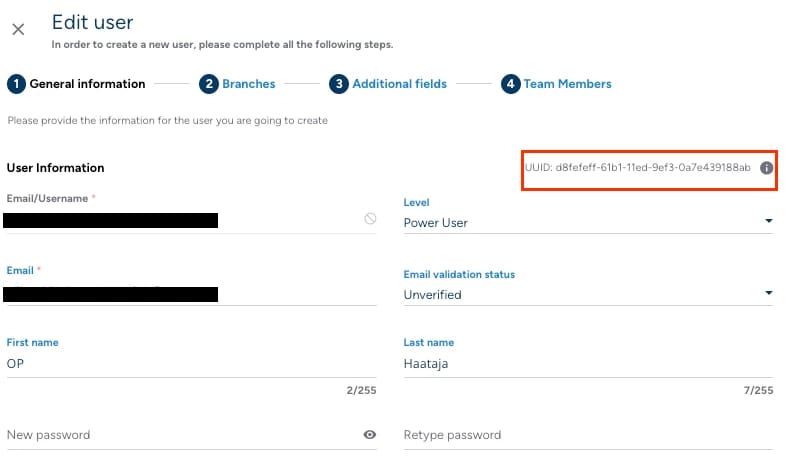
معرف مستخدم 4Fun هو معرف رقمي، وهو الشيء الوحيد الذي يستخدمه نظام الشحن لتوجيه الماسات، وفقًا لـ صفحة شحن 4Fun. أما اسم العرض الذي يظهر به صديقك في غرف الدردشة؟ فهو منفصل وقابل للتغيير. قد يتساءل البعض لماذا لا نبحث بالاسم فقط ما دام يظهر هناك؟ لأن الأسماء ليست فريدة وحقل الدفع لا يقبلها. يمكن للاعبينِ أن يحملا نفس اسم العرض، لكن لاعبًا واحدًا فقط يملك معرفًا رقميًا معينًا.
هذه الفجوة هي مصدر معظم الهدايا المرسلة بالخطأ. يسمع الناس "سأرسل إلى صديقتي مايا" ويظنون أن الحقل يتطلب كتابة "مايا". لا، بل يتطلب الأرقام.
| الخاصية |
معرف المستخدم الرقمي |
اسم العرض |
| ما يستخدمه نظام الشحن لتوجيه الماسات |
نعم — هو مفتاح التوجيه |
لا |
| التنسيق |
رقمي، وفقًا لصفحة الشحن الرسمية |
نص حر، يختاره المستخدم |
| قابلية التغيير |
يُعامل كمعرف حساب ثابت |
قابل للتغيير في أي وقت |
| المخاطرة عند الخطأ |
تذهب الماسات إلى حساب حقيقي آخر |
لا يمكن إدخاله في حقل الدفع على الإطلاق |
المصدر: صفحة شحن 4Fun (2026)؛ z2u.com (2026).
من أين تحصل على معرف صديقك بدقة — ولماذا لا يجب عليك إعادة كتابته يدويًا أبدًا
اطلب من صديقك نسخ معرف المستخدم الرقمي مباشرة من ملفه الشخصي وإرساله إليك في الدردشة. ثم انسخ هذا النص وضعه في حقل الشحن. لا تحاول قراءته من لقطة شاشة وكتابته يدويًا. الإدخال اليدوي هو المكان الذي تنشأ فيه الأخطاء: يتبدل الرقم 81 إلى 18، أو يسقط رقم مكرر، أو يُقرأ الرقم 0 على أنه 8. تشير أدلة الشحن القائم على المعرف في BIGO و Free Fire إلى نفس الفخ. كتابة المعرف يدويًا تتسبب في أخطاء النقل التي يتفاداها النسخ واللصق تمامًا.
هذا هو أرخص تأمين ستحصل عليه على الإطلاق. تكلفته صفر، ويستغرق ثانيتين، ويقضي على أكبر سبب للفشل. ينسخ صديقك المعرف، وتلصقه أنت، ولا يقوم أي إنسان بكتابة الرقم يدويًا. لا مجال لخلط الأرقام.
طريقة إهداء الماسات بأمان، من البداية إلى النهاية
الخطوات قصيرة، وهذا هو السبب الدقيق وراء وقوع الناس في الأخطاء. تتبعها ببطء في المرة الأولى وستصبح جزءًا من ذاكرتك الحركية لاحقًا.
ابدأ بمعرف المستخدم الرقمي للمستلم، منسوخًا منه مباشرة، ولا تكتبه يدويًا أبدًا. افتح قناة شحن تدعم شحن 4Fun عن طريق المعرف. صفحة الشحن الرسمية هي المرجع الأساسي لما يتطلبه حقل الإدخال، وتفاصيل العملية الأوسع موثقة في موقع z2u.com (2026). ضع المعرف في حقل معرف المستخدم وانتظر حتى يتم تحميل اسم الحساب. هذه هي مرآتك. يجب أن يظهر الاسم مطابقًا لاسم صديقك. اختر باقتك. تبدأ أسعار خادم الهند من 2,000 ماسة مقابل 17.0 روبية هندية، ثم 10,000 مقابل 80.0 روبية هندية، و 34,000 مقابل 254.0 روبية هندية، و 74,000 مقابل 560.0 روبية هندية، وفقًا لصفحة الشحن الرسمية. بعد ذلك، وكخطوة غير قابلة للنقاش لأي مبلغ تخشى خسارته، خذ لقطة شاشة للملخص الذي يظهر المعرف، الاسم المؤكد، والباقة قبل أن تدفع. ادفع في النهاية. ستصل الماسات إلى ذلك الحساب.

لقطة الشاشة ليست وسواسًا قهريًا، بل هي الدليل الوحيد الذي يجعل أي نزاع لاحق قابلاً للنقاش. إذا تخطيتها، فأنت تطلب من الدعم الفني التصرف بناءً على كلمتك فقط دون أي إثبات.
إذا لم يكن لديك رصيد كافٍ وتريد تمويل الهدية مباشرة، يمكنك إجراء شحن 4Fun للباقة المطلوبة وتوجيهها إلى المعرف المؤكد في خطوة واحدة. فقط لا تدع السرعة تنسيك خطوة مطابقة الاسم. هذه قناة واحدة من بين عدة قنوات، وتظل الفكرة قائمة أينما اشتريت. تأكد من الاسم قبل تفويض عملية الدفع.
ماذا يحدث فعليًا إذا أرسلت إلى معرف خاطئ
كن صريحًا مع نفسك منذ البداية: الإرسال إلى معرف خاطئ هو أمر نهائي. لا تذكر أي من المواد الرسمية (صفحة الشحن، صفحة التطبيق على Google Play، أو خطوات الشحن الموثقة) وجود خيار للتراجع، أو زر إلغاء، أو استرداد ذاتي للأموال. وتؤكد الأدلة الخاصة بأنظمة العملات المماثلة القائمة على المعرف على نفس النتيجة القاسية: معرف خاطئ يعني حسابًا خاطئًا، ولا يوجد مسار استرداد مكتوب في أي مكان. كنت أتمنى أن أقدم لك طريقة سهلة للتراجع، لكن لا توجد طريقة موثقة لذلك.
ربما يمكن للدعم الفني استعادتها في حالات نادرة جدًا. لكن الاسترداد، إن وجد أصلاً، يكون تقديريًا ويدويًا، وليس سياسة يمكنك الاعتماد عليها. هذه الماسات أصبحت الآن في حساب شخص حقيقي آخر. والتراجع يعني قيام موظف بمراجعة طلبك، وغالبًا ما يتطلب ذلك موافقة الشخص الآخر الذي لم يطلب هذه العملات المجانية أصلاً. اعتبر أي نجاح هنا بمثابة ضربة حظ، وليس خطة مضمونة.
تقديم طلب دعم — وما يجب إرفاقه
إذا سارت الأمور بشكل خاطئ، تحرك بسرعة وقدم الأدلة أولاً. تواصل مع دعم 4Fun عبر رقم واتساب الخاص بدعم الشحن +91 91828 14467 المذكور في صفحة الشحن الرسمية، أو عبر البريد الإلكتروني support@spread-fun.com (كما يعمل البريد 4fungogogo@gmail.com أيضًا)، وفقًا لصفحة تطبيق 4Fun Lite على Google Play (2026).
أرفق المستندات بالترتيب التالي: لقطة الشاشة لملخص ما قبل الدفع التي التقطتها، إيصال الدفع أو مرجع المعاملة، المعرف الذي كنت تنوي الإرسال إليه، والمعرف الذي استلم الماسات بالفعل. كلما كان مسار الإثبات واضحًا، زادت فرصك. الطلب الذي يكتفي بعبارة "أرسلت إلى الشخص الخطأ، يرجى المساعدة" دون إثبات المعاملة محكوم عليه بالفشل تقريبًا. أما الطلب الذي يحتوي على إيصال يحمل طابعًا زمنيًا ومعرفين محددين بوضوح يمنح المراجع شيئًا يمكنه العمل عليه.
هذا هو السبب الكامل لأخذ لقطة الشاشة مسبقًا. لا يمكنك تقديم دليل بعد وقوع الحدث إذا لم تقم بالتقاطه في وقتها.
الحدود، الرسوم، فترات الانتظار، وقواعد المناطق — ما هو موثق بالفعل
هنا لن أقوم باختلاق أي معلومات. توثق المصادر الرسمية لشحن 4Fun متطلبات المعرف، وفئات الباقات وأسعارها، وقنوات الدعم. لكنها لا تنشر حدًا أقصى للإهداء، أو جدول رسوم لكل معاملة، أو مؤقت فترة انتظار، أو قيودًا جغرافية للإرسال عبر المعرف. لذلك لن أذكر لك "حدًا يوميًا" أو "رسومًا بنسبة 3%" لا يدعمها أي مصدر.
ما يهم عمليًا هو: يتم تسعير باقات الشحن وفقًا للخادم والمنطقة. الأرقام المذكورة أعلاه خاصة بخادم الهند من صفحة الشحن. ترتبط العملة التي يتلقاها المستلم بسياق خادم قناة الشحن، لذا تأكد من أنك تشحن من المتجر الإقليمي الصحيح لحساب صديقك قبل الدفع. إذا فشلت عملية الإرسال إلى معرف صالح أو علقت، فإن عدم تطابق المنطقة هو السبب الأرجح وليس وجود "قفل منطقة" وهمي على الإهداء. عندما لا يتطابق السعر المعروض أمامك والخادم الذي تشتري منه مع حساب المستلم، توقف ولا تتابع العملية.
قائمة التحقق قبل الإرسال التي تستحق الاحتفاظ بها
قم بتطبيقها في كل مرة، حتى في عمليات الإرسال الصغيرة. فالاعتاد على هذه الخطوات هو ما يحميك في العمليات الكبيرة.
- احصل على المعرف بالنسخ واللصق، وليس بالنظر. ينسخ صديقك معرف المستخدم الرقمي الخاص به، وتلصقه أنت مباشرة في الحقل.
- اقرأ اسم الحساب المؤكد. تظهر الصفحة الاسم المرتبط بالمعرف، وتتأكد أنت من أنه صديقك. هذا التحديث المباشر للاسم هو تأكيدك الفوري، وهي الخطوة التي يتجاهلها الجميع تقريبًا.
- تأكد من مطابقة الخادم/المنطقة للباقة التي تشتريها.
- خذ لقطة شاشة للملخص الكامل (المعرف، الاسم، المبلغ) قبل الدفع.
- ادفع فقط بعد التأكد من الخطوات الأربع السابقة. إذا بدا أي شيء غير صحيح، توقف. التوقف لمدة 30 ثانية أفضل من خسارة دائمة.
الحسبة بسيطة: الخطوات من 1 إلى 4 تستغرق أقل من دقيقة مجتمعة. والخطأ الذي تمنعه لا يوجد له أي استرداد موثق. هذا هو السبب الكامل الذي يدعوك للتأني.
| نوع خطأ المعرف الخاطئ |
كيف يحدث |
الخطوة التي تمنعه |
| تبديل الأرقام |
كتابة المعرف يدويًا من لقطة شاشة |
نسخ ولصق المعرف (الخطوة 1) |
| الإرسال إلى شخص غريب |
تخطي قراءة الاسم المؤكد |
قراءة اسم الحساب (الخطوة 2) |
| تحويل فاشل/خاطئ |
استخدام خادم/متجر منطقة خاطئ |
مطابقة المنطقة (الخطوة 3) |
| نزاع غير قابل للحل |
عدم وجود دليل على النية |
أخذ لقطة شاشة للملخص (الخطوة 4) |
المصدر: تم تجميعه من صفحة شحن 4Fun (2026)، وصفحة تطبيق 4Fun Lite على Google Play (2026)، وموقع z2u.com (2026).
رأيي الشخصي: إهداء 4Fun آمن من حيث المبدأ. المنصة ليست هي مصدر الخطر، بل كتابتك أنت. انسخ المعرف، اقرأ الاسم، خذ لقطة شاشة للملخص، ثم ادفع. قم بهذه الخطوات الأربع ولن يطالك كابوس المعرف الخاطئ أبدًا. أما إذا تخطيتها لتوفير أربعين ثانية، فأنت تراهن على عملية استرداد لا يعدك أي مصدر بوجودها.
الأسئلة الشائعة
كيف أجد معرف لاعب 4Fun الخاص بصديقي لإرسال الماسات؟
اطلب من صديقك فتح ملفه الشخصي، ونسخ معرف المستخدم الرقمي، وإرساله إليك في الدردشة. هذا المعرف هو ما يحتاجه حقل الشحن، وفقًا لصفحة الشحن الرسمية (2026). لا تبحث باستخدام اسم العرض. الأسماء قابلة للتغيير ويمكن لعدة لاعبين مشاركة نفس الاسم، لذا لن تضمن توجيه الهدية بشكل صحيح. المعرف الرقمي هو مفتاح التوجيه الوحيد، ولا شيء غيره يعمل.
هل يمكنني استرداد أموالي إذا أرسلت ماسات 4Fun إلى معرف خاطئ؟
افترض أن الإجابة هي لا. لا تذكر أي من المواد الرسمية خيارًا للتراجع أو استرداد الأموال ذاتيًا، وتشير الأدلة الخاصة بالأنظمة المماثلة القائمة على المعرف إلى أن الإرسال لمعرف خاطئ لا يحتوي على مسار استرداد. الاسترداد، إن حدث، يكون مراجعة يدوية تقديرية وليس سياسة مضمونة. تواصل مع الدعم عبر رقم الواتساب الموجود في صفحة الشحن أو عبر support@spread-fun.com فورًا مع إثبات المعاملة، ولكن تعامل مع كل عملية إرسال على أنها نهائية.
ما الفرق بين اسم مستخدم 4Fun ومعرف اللاعب؟
اسم المستخدم هو اسم العرض القابل للتغيير الذي تراه في غرف الدردشة. أما معرف اللاعب فهو معرف رقمي ثابت، وهو الشيء الوحيد الذي يستخدمه نظام الشحن لتسليم الماسات، وفقًا لصفحة الشحن (2026). لا يمكنك كتابة اسم في حقل الدفع وتوقع أن يجد الحساب الصحيح. الهدايا المرسلة للمستلم الخطأ تعود دائمًا تقريبًا إلى الخلط بين الاثنين.
لماذا لم تصل هدية ماسات 4Fun الخاصة بي؟
الأسباب الأكثر شيوعًا والموثقة هي: إدخال معرف غير صحيح، مما أدى إلى وصول الماسات إلى حساب حقيقي آخر، أو عدم تطابق الخادم/المنطقة بين متجر الشحن وحساب المستلم. أعد التحقق من المعرف الرقمي بدقة ومقارنته بما أرسله صديقك، وتأكد من الشحن من المتجر الإقليمي الصحيح. إذا كان كلاهما صحيحًا ولم تصل الهدية بعد، تواصل مع الدعم مع تقديم مرجع الدفع عبر قنوات صفحة الشحن أو صفحة التطبيق على Google Play.
هل إهداء الماسات في 4Fun آمن بالفعل؟
من الناحية التقنية، نعم. لن تسمح آلية الإهداء لشخص غريب بسحب العملات منك. أنت من يرسلها إلى معرف تقوم بإدخاله. الخطر الحقيقي يكمن في خطأ الإدخال الخاص بك بالإضافة إلى أساليب الاحتيال مثل "أرسل وسأضاعف لك المبلغ" التي تنتشر في تطبيقات الدردشة الصوتية. انسخ المعرف والصقه، وتحقق من الاسم المؤكد، وخذ لقطة شاشة للملخص قبل الدفع، وتجاهل أي شخص يعدك بعوائد مقابل الهدية. افعل ذلك وسيكون الإهداء آمنًا تمامًا بقدر الحذر الذي تبديه في خطوة التأكيد.









Comments