Wanneer er munten worden getoond, maar het cadeau toch wordt geweigerd
Bijna elke handleiding slaat dit over, en het is de meest voorkomende reden waarom een cadeau niet wordt verzonden. SuperLive houdt de portemonnee waaruit u cadeaus verstuurt gescheiden van de daadwerkelijke Coins die u koopt. Een opwaardering komt eerst in uw Coins-saldo terecht en voedt daarna het verzenden van cadeaus, volgens de opwaardeerfunctionaliteit van TikTok (2026). U kunt naar een mooi getal staren en toch de foutmelding "te laag" krijgen, omdat de app in de andere zak kijkt.
Dit is wat mij verbaasde: dit is helemaal geen betalingsfout. Mensen behandelen de melding "cadeausaldo te laag" als een fout in het geldsysteem en beginnen herhaaldelijk op de koopknop te drukken. Dat is precies hoe een verwarring over de portemonnee verandert in een echt geldprobleem (Scenario 4 behandelt dat). De oplossing is bijna saai. Waardeer uw munten op, controleer of het totale aantal Coins is gestegen en verstuur het dan. Als het cadeauscherm nog steeds een te laag saldo aangeeft, ga dan terug naar uw profiel, open de stream opnieuw en laat het saldo synchroniseren.
Als u slechts één regel uit dit hele artikel onthoudt, laat het dan deze zijn: controleer het totale aantal Coins voordat u in paniek raakt en aankopen doet. De fout betekent bijna nooit dat u blut bent. Het betekent dat u op de verkeerde meter kijkt.
De in-app opwaardering binnen een minuut: snel, maar u betaalt voor de snelheid
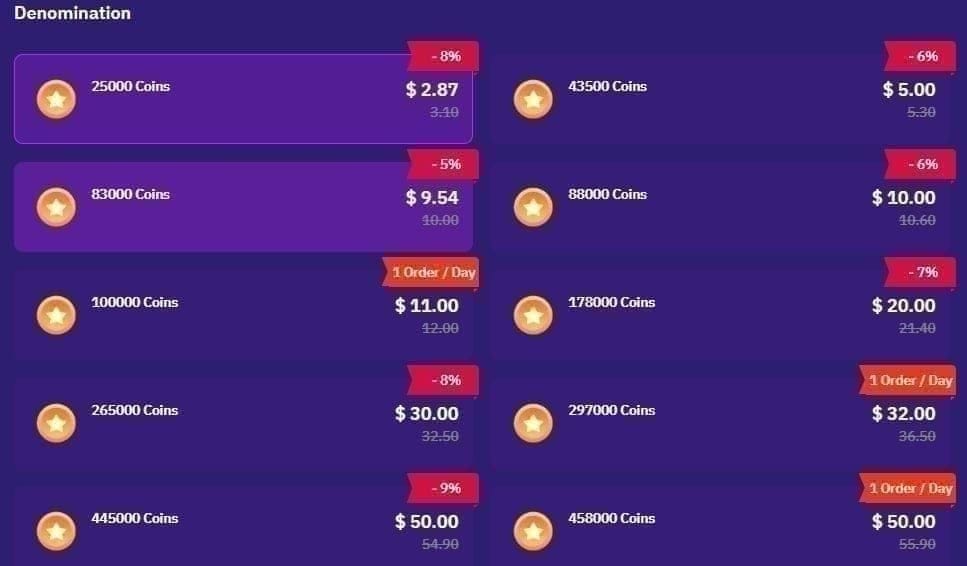
De stream is live en u heeft nu munten nodig. De in-app route wint het direct op het gebied van snelheid. Open SuperLive, tik rechtsonder op het profielpictogram, scrol naar Coins kopen, kies een pakket, koppel een kaart of Google- of Apple-betaling en bevestig. Binnen een minuut geregeld, volgens de officiële in-app procedure die wordt getoond in een YouTube-walkthrough uit 2025. De levering vindt plaats zodra de betaling is verwerkt.
Wat ik me pas realiseerde toen ik de prijzen naast elkaar legde: de in-app pakketten zijn overzichtelijk maar duur. Volgens paywall-gegevens van Adapty kosten de gepubliceerde pakketten $ 0,99 voor 120 Coins, $ 4,99 voor 600, $ 9,99 for 1.200, $ 19,99 voor 2.400 en $ 49,99 voor 6.000. Dat gemiddelde pakket komt neer op ongeveer $ 0,0083 per munt, volgens BitTopup (apr. 2026). Noem het de gemakbelasting. U betaalt de commissie van de app-store voor de luxe dat u de uitzending niet hoeft te verlaten.
Voor een klein, incidenteel cadeau is die extra prijs prima en zou ik die zonder nadenken betalen. Het pakket van 120 munten is er precies voor de kijker die één cadeau per maand stuurt; dat via een website regelen om een paar cent te besparen is verspilde moeite. De valkuil is om standaard voor alles de in-app optie te gebruiken, en dat is precies wat het volgende scenario aan het licht brengt.
| Pakket (Coins) |
In-app prijs |
Prijs via derden |
Per munt (via derden) |
| 120 |
$ 0,99 |
N.v.t. |
N.v.t. |
| 605 |
~$ 5,25 |
$ 5,10–$ 5,50 |
~$ 0,0085 |
| 3.125 |
~$ 26,25 |
$ 22,66–$ 27,50 |
$ 0,0073–$ 0,0084 |
| 43.000 |
N.v.t. |
$ 299–$ 340 |
$ 0,0070–$ 0,0079 |
Bron: Geaggregeerde gegevens van BitTopup & Enjoygm (2026)
De SuperLive ID-opwaardering is waar u echt bespaart
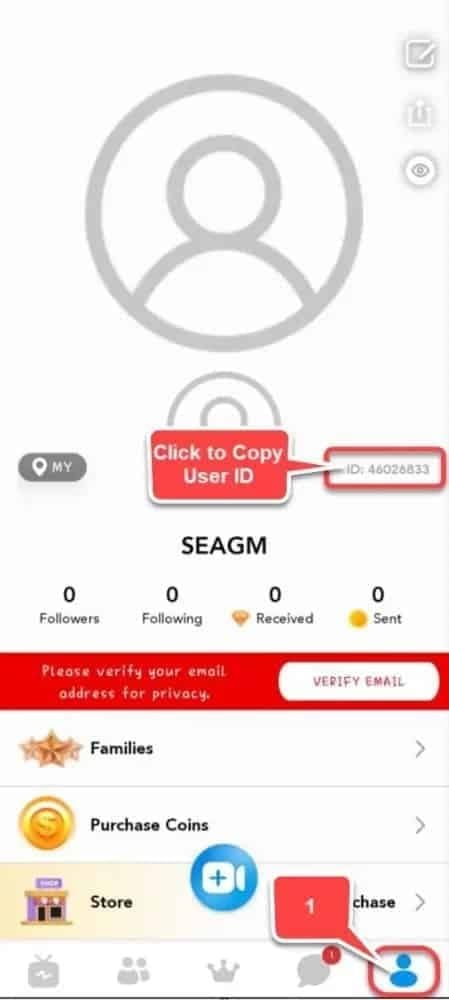
Koop dezelfde munten via uw SuperLive ID op een webplatform en de gemakbelasting verdwijnt als sneeuw voor de zon. De stappen: neem uw 7- tot 10-cijferige UID over van uw profielpagina, vul deze in op de opwaardeersite, kies een pakket, betaal met PayPal, kaart of e-wallet en de munten komen direct aan, aldus Enjoygm. Geen tussenkomst van de app-store die een deel opeist. Dat is de enige reden waarom het minder kost.
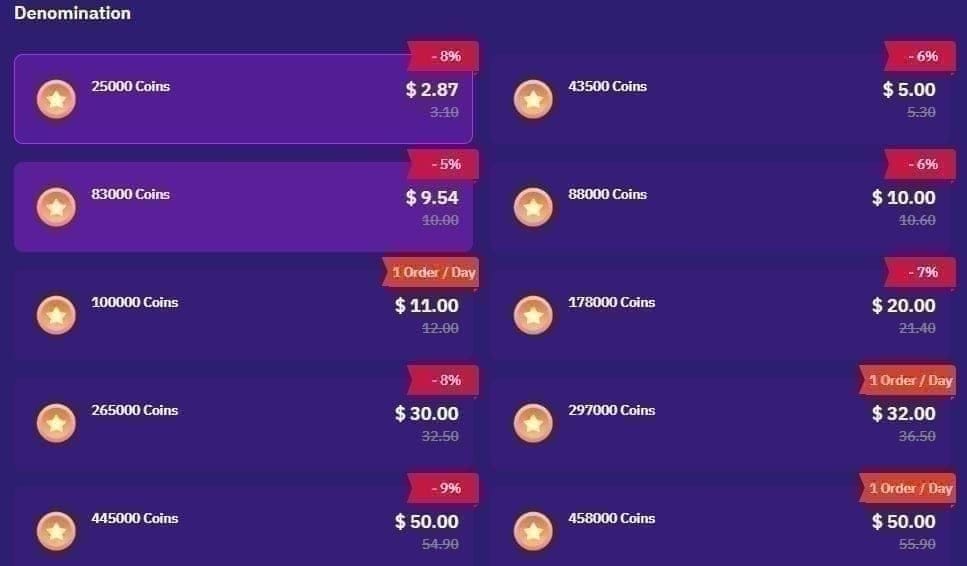
Hoeveel minder dat is, verraste me eerlijk gezegd. Dezelfde bron vermeldt 10.000 Coins voor $ 1,45 vergeleken met een in-app referentieprijs van $ 1,99, 50.000 voor $ 7,25 en 200.000 voor $ 29, wat een vaste korting van 27% is ten opzichte van de in-app prijs. Het verschil blijft ook bestaan bij de grotere bundels: 43.000 Coins kosten ongeveer $ 299–$ 340, ofwel $ 0,0070–$ 0,0079 per munt, volgens BitTopup, wat bijna 28% onder het in-app tarief van de gemiddelde pakketten ligt. Het zien van deze twee opties naast elkaar heeft er uiteindelijk voor gezorgd dat ik niet meer automatisch naar het profielscherm in de app ga.
Het cruciale punt hierbij is de UID. Als u hier een typefout in maakt, komen de munten op het account van een vreemde terecht en is er geen weg terug, volgens dezelfde BitTopup-handleiding. Kopieer en plak de UID altijd. Typ deze nooit uit uw hoofd over. Dat kleine beetje discipline is het verschil tussen een probleemloze web-opwaardering en een zelf veroorzaakte fout.
Dus wie zou de overstap moeten maken? Dit is eenvoudig in te delen op basis van hoeveel u uitgeeft:
- Incidentele kijker — kleine in-app pakketten voor eenmalige cadeaus; de besparing op een aankoop van $ 0,99 weegt niet op tegen de extra stappen, aldus Adapty.
- Regelmatige supporter — de webpakketten van 10k–50k zijn de beste keuze; met 27% korting lopen de besparingen bij regelmatig schenken snel op, aldus Enjoygm.
- Grote gever — de bundels van 43k+ voor ~$ 0,007/munt via ID-opwaardering bieden het laagste tarief per munt dat ergens te vinden is, aldus BitTopup.
Openbaarmaking: VGTopup, de beheerder van dit artikel, is een van deze op ID gebaseerde platforms, dus weeg dat zelf af. Het advies blijft echter hetzelfde, ongeacht waar u koopt: kijk bij alles wat groter is dan een kleine opwaardering eerst om de prijs per munt te vergelijken voordat u kiest. Het platform is minder belangrijk dan het maken van de berekening.
Wanneer de betaling blijft hangen, mislukt of stilletjes wordt geweigerd
Hier heb ik het meeste van geleerd, vooral omdat de fout meestal niet bij SuperLive ligt. De boosdoener is vaak een verschil in regio of valuta. Als u bijvoorbeeld betaalt met een Amerikaanse methode op een account uit de regio Filipijnen, krijgt u een stille weigering, volgens de consensus in de community op Reddit-threads over opwaardeerproblemen bij SuperLive (2026). De app lijkt kapot, maar het betalingssysteem weigert simpelweg vanwege een geografisch conflict dat u niet eens kunt zien.
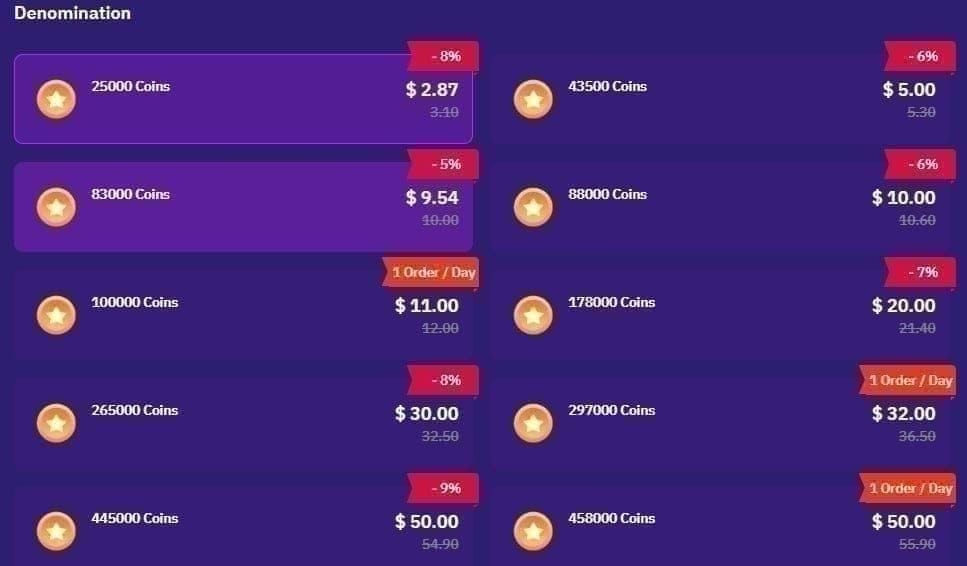
Drie statussen, drie acties:
- Geleverd — Coins-saldo is bijgewerkt, transactiebon is verzonden. U bent klaar. Verstuur het cadeau.
- In behandeling — betaling is geautoriseerd maar nog niet bevestigd. Probeer het niet opnieuw. Als u te snel achter elkaar probeert op te waarderen terwijl een betaling in behandeling is, riskeert u een dubbele afschrijving, volgens gedocumenteerde klachten over de app op Sikayetvar (2025). Wacht op de bevestiging of de automatische terugboeking.
- Mislukt — direct geweigerd, geen afschrijving. Wissel van betaalmethode of controleer of uw betalingsregio overeenkomt met uw accountregio voordat u het opnieuw probeert.
De dubbele afschrijving is een dure valkuil. Ik heb in klachten-threads gelezen dat mensen twee keer voor één pakket hebben betaald, puur omdat het laadicoontje te lang in beeld bleef en ze nogmaals op kopen tikten. Als een betaling in behandeling is, geef het systeem dan de tijd om te verwerken (minuten, geen seconden) en controleer uw bank- of aankoopgeschiedenis voordat u ervan uitgaat dat er niets is gebeurd.
Voor dringende situaties tijdens een stream is dit ook de reden waarom ik "direct" met een korreltje zout neem. Web- en ID-opwaarderingen worden direct na betaling bijgeschreven, en in-app aankopen zodra de facturering is geslaagd, volgens verschillende opwaardeersites (2026). Maar "direct" gaat ervan uit dat de betaling ook daadwerkelijk wordt goedgekeurd. Een geweigerde kaart is niet direct, dat is helemaal niets. De les die ik steeds weer leer: waardeer op vóór de stream, niet tijdens. Een kleine buffer in uw Coins-saldo voorkomt dat u in paniek aankopen moet doen.
Het pakket afstemmen op het cadeau dat u daadwerkelijk gaat sturen
Het kiezen van de juiste omvang van uw aankoop is de stille geldbespaarder waar niemand het echt over heeft. De slechtste deal is niet een specifiek pakket. Het is de gewoonte om steeds weer het kleinste pakket te kopen. Met elke micro-opwaardering blijft u hangen in het duurste tarief per munt, terwijl één grotere aankoop dezelfde cadeaus had gedekt tegen een veel beter tarief.
Twee referentiepunten bepalen de keuze. Aan de voordelige kant liggen de grote webbundels rond de $ 0,0070 per munt, volgens BitTopup. Aan de kant van het gemak liggen de gemiddelde in-app pakketten rond de $ 0,0083. Dit verschil is serieus geld zodra u met enige regelmaat cadeaus verstuurt.
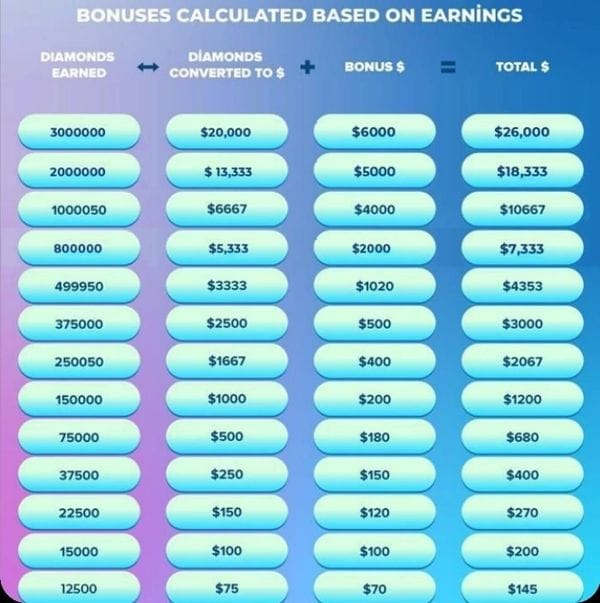
Er is een detail dat handig is om te weten als u zich ooit heeft afgevraagd waar uw cadeaus eigenlijk terechtkomen: hosts ontvangen ongeveer 50% van de waarde van een cadeau in de vorm van Diamonds/Beans, met een uitbetalingsgrens van ongeveer 3.000 Diamonds (~$ 20), volgens BitTopup. Dit verandert niets aan wat u betaalt, maar het geeft wel een ander beeld van het systeem. Uw munten gaan niet 1-op-1 naar de streamer.
Mijn vuistregel na genoeg ervaring: schat de cadeaus die u de komende weken realistisch gezien gaat sturen in, en koop vervolgens één pakket dat dit dekt tegen het beste tarief per munt dat u kunt krijgen. Maak gerust eenmalig gebruik van een bonus bij een eerste aankoop. Kijk daarna niet meer naar de zogenaamde bonussen en vergelijk gewoon de prijs per munt. Dat is het getal dat echt invloed heeft op uw uitgaven.
Hoe de methoden zich tot elkaar verhouden
| Factor |
In-app opwaarderen |
Web / SuperLive ID |
| Snelheid |
Direct na facturering |
Direct na betaling |
| Kosten per munt |
~$ 0,0083 (gemiddeld pakket) |
$ 0,0070–$ 0,0079 (grote bundels) |
| Besparing t.o.v. in-app |
Uitgangspunt |
~27–28% goedkoper (volgens Enjoygm / BitTopup) |
| Belangrijkste risico |
Gemakstoeslag |
Verkeerde UID stuurt munten naar de verkeerde persoon |
| Het beste voor |
Kleine eenmalige cadeaus |
Regelmatige & grote opwaarderingen |
Bron: Adapty (2026); Enjoygm (2026); BitTopup (apr. 2026)
Dus wat is de conclusie? Gebruik in-app voor noodgevallen van minder dan een minuut bij kleine bedragen, en op ID gebaseerde web-opwaarderingen voor al het andere. De app zelf, met meer dan 10 miljoen downloads en een beoordeling van 4,5 sterren uit 220.000 recensies op Google Play, is het probleem niet. De automatische gewoonte om in de app te betalen is dat wel. Stop met het automatisch aantikken van het profielscherm, controleer in welke portemonnee de app kijkt, kopieer uw UID exact en probeer een betaling in behandeling nooit opnieuw. Als u deze vier stappen volgt, geeft u minder uit en loopt u tegen minder fouten aan.
Veelgestelde vragen
Waarom is mijn SuperLive-cadeausaldo te laag, zelfs nadat ik munten heb gekocht?
Omdat de opwaardering eerst in uw Coins-saldo terechtkomt, terwijl het cadeauscherm mogelijk kijkt naar de afzonderlijke cadeau-portemonnee, volgens de opwaardeerfunctionaliteit van TikTok (2026). Als de twee getallen na een aankoop niet synchroniseren, sluit dan de live stream en open deze opnieuw om een verversing te forceren. De munten zijn er bijna altijd wel, ze worden alleen nog niet weergegeven op de cadeaumeter.
Is een web- of op ID gebaseerde opwaardering wel veilig vergeleken met in-app kopen?
Het is veilig, zolang u de UID behandelt als het belangrijkste veld. Het echte risico ligt niet bij het platform, maar bij een verkeerd getypte 7- tot 10-cijferige ID waardoor munten naar het verkeerde account worden gestuurd zonder dat dit hersteld kan worden, aldus BitTopup. Kopieer en plak uw UID, controleer of deze overeenkomt met uw profiel en betaal dan pas. Betaalmethoden die overeenkomen met uw regio zijn ook belangrijk, omdat verschillen hierin kunnen leiden tot stille weigeringen.
Hoe lang duurt het voordat SuperLive Coins aankomen?
Beide routes zijn in feite direct. Web- en ID-opwaarderingen worden direct na betaling bijgeschreven, in-app aankopen na een succesvolle facturering, volgens verschillende bronnen (2026). De kanttekening die roet in het eten kan gooien: "direct" gaat ervan uit dat de betaling wordt goedgekeurd. Een betaling die in behandeling is of wordt geweigerd vanwege de regio levert u niets op. Zorg er dus voor dat u voor een belangrijk cadeau vooraf opwaardeert met een buffer, in plaats van tijdens de uitzending.
Wat moet ik doen als mijn munten niet zijn aangekomen, maar er wel geld is afgeschreven?
Controleer de status van de transactie voordat u iets anders doet. Als deze in behandeling is, probeer het dan niet opnieuw. Snelle herhaalde pogingen bij een betaling in behandeling kunnen namelijk leiden tot een dubbele afschrijving, volgens gedocumenteerde klachten op Sikayetvar (2025). Controleer eerst uw bank- of aankoopgeschiedenis. Als de betaling is verwerkt maar de munten nooit zijn aangekomen, bewaar dan de transactiebon als bewijs en neem contact op met de klantenservice met de tijdstempel en uw UID.
Verschilt de goedkoopste manier om SuperLive Coins te kopen per regio?
De prijzen worden op wereldwijde opwaardeersites in USD weergegeven, maar de betalingsopties verschillen per regio. De VS, India, de Filipijnen en Indonesië hebben lokale e-wallets en PayPal-opties, aldus Enjoygm (2026). De prijs per munt verschilt niet veel per markt; wat wel verandert is welke betaalmethode probleemloos werkt. Gebruik daarom een methode die overeenkomt met uw accountregio om weigeringen te voorkomen.










Comments